Dr. Christie's AZ K-12 Center Camp Plug and Play 11.0

|
Agenda for Making Websites Marvelous
Monday – Afternoon
- View exemplary (and a few non-exemplary) K-12 teacher websites
- Use this Padlet to list elements that make exemplary websites. Focus on the following topics:
- fonts
- backgrounds
- navigation
- scrolling
- consistency
- organization
- other elements
- Review the Rubric I developed to help guide you in your website development.
Tuesday – Morning Session 1
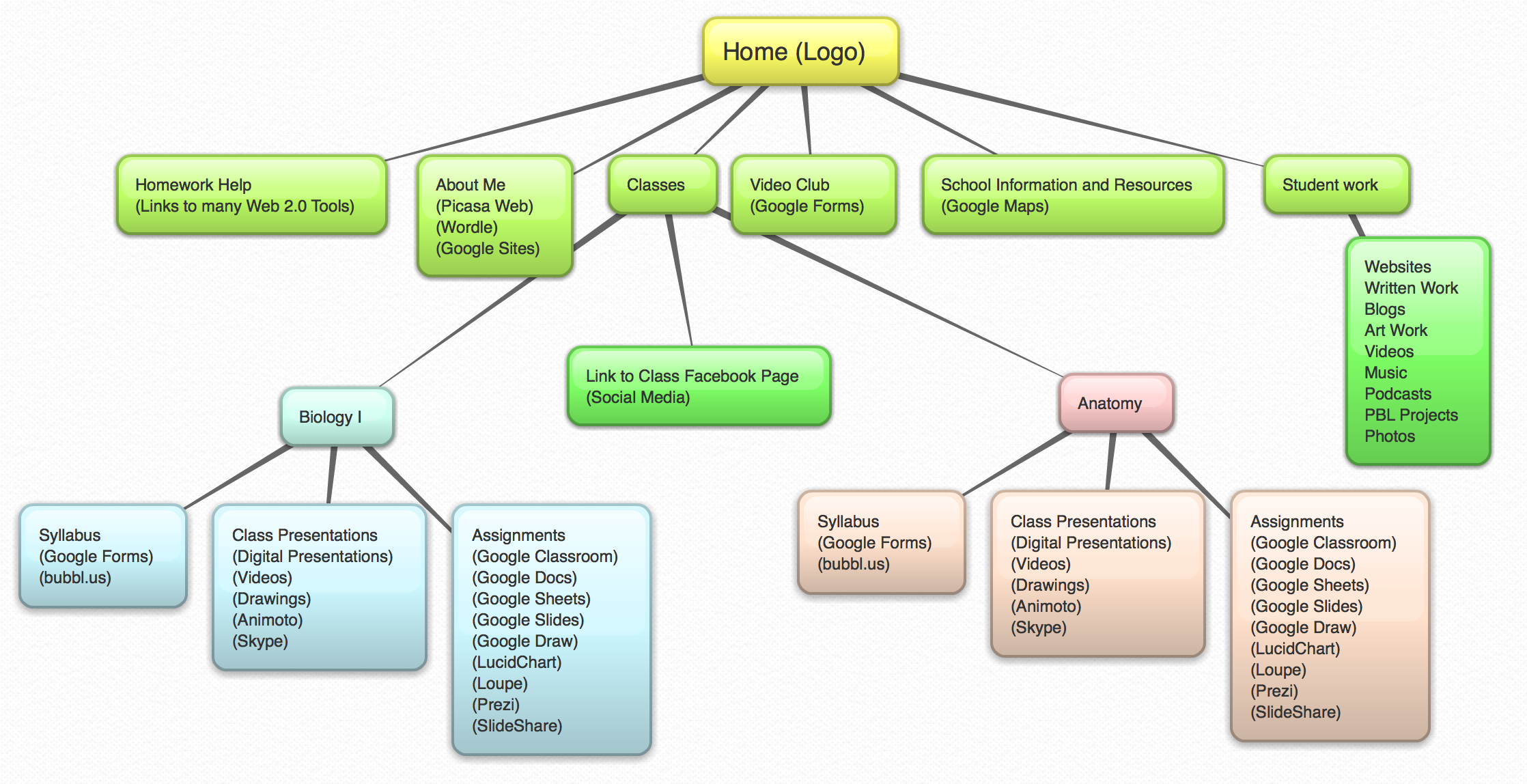
- Use the following mindmap for your four-page play site.
|

|
- Compare Google Sites and Weebly
- Create a four-page play site using Google Sites or Weebly. The purposes of this site are to (a) become familiar with the web development tool you choose to use, and (b) create a mini-biography for students to get to know a little about you. You will create a link in your main site to this site later in the week. Experiment with the following:
- Creating new pages
- Creating a navigation system
- Choosing backgrounds and fonts
- Creating links
- Adding pictures and videos
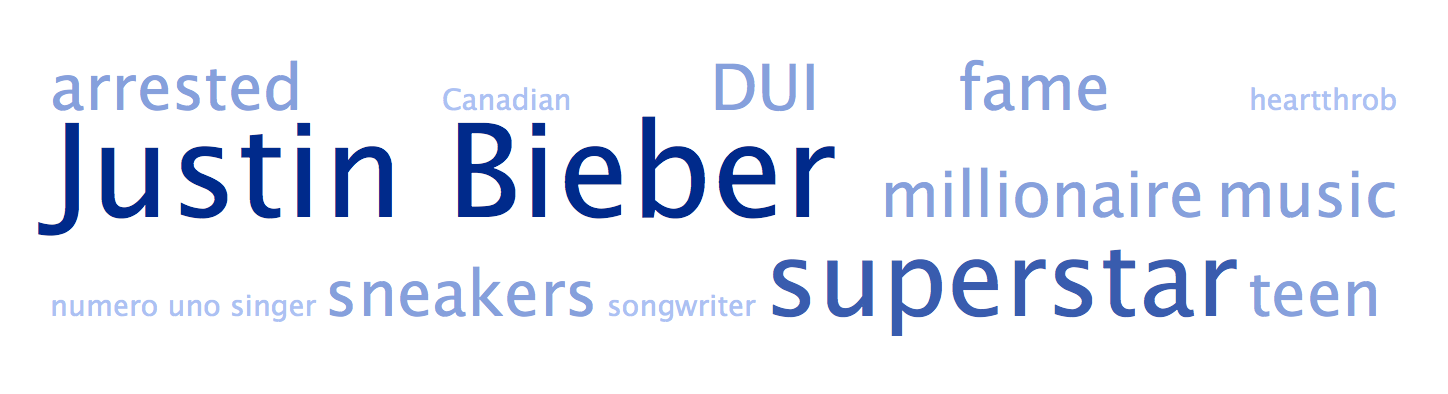
- Adding the word cloud that you created earlier
- Example site created by Dr. Christie in Google Sites
- Example site created by John Kain in Weebly
|
Tuesday – Morning Session 2: Creating Your Site and Your Navigation
- Create a mindmap using bubbl.us (or a mindmapping tool of your choice) for your new site. One example follows:

- Add arrows to your mindmap to indicate your navigation scheme
- Get feedback on your mindmap from Alice or John
- Using your revised mindmap, create the first page in your Educational Site
- Edit fonts, colors, backgrounds, themes until you are satisfied with the look of your main page
Tuesday – Afternoon Session 1
|
- Brainstorm how you can model the use of the following tools in your website:

|
- Add this information to your mindmap. Click to see an example.
- Your map should also indicate ways of publishing student work:

|
Add this information to your mindmap. Click to see an example.
See a great example of a website displaying student work, created by Lynn Castiglione who teaches at Bellair School in the Phoenix area.
Tuesday – Afteernoon Session 2
-
Embed or create links to a variety of files created with Web 2.0 tools into your site. Some examples follow:
-
Google Form Examples
-
To embed a Google Form into your site. Example:Google Form | Embed Code
-
To embed a customized Google map into your site. Example: Customized Google Map
- Go to Google Sites at sites.google.com and open the site you want to edit.
- Click the Edit Page button.
- Click the Insert menu and select Map. ...
- On the left side of the window, click My Maps, choose the custom map you created, and click Select.
- To embed a YouTube video into your site. Example: YouTube video
- Navigate to this video
- Click on the Share button
- Click the Embed Tab
- Copy the Embed Code
- Paste the code in your website at an appropriate place.
- To mbed a Google Slide Presentation
- Go to the page where you want to embed the file.
- At the top right, click Edit page .
- Place the cursor where you want the file to go.
- Click Insert > Drive. In the Insert window, search for a file to insert, or paste a Google file's web address at the bottom. Click Select.
- Choose a border, title, size, and other options, then click Save.
- At the top right, click Save to save the page.
- Homework: Review this Article on sources for finding free images on the web.
Tuesday – Late Afternoon
Wednesday – Morning Session 1
- Guidelines for Student Work to be Featured on the Web:

|
Wednesday – Morning Session 2
Mini-Lessons by Alice, John and “participant leaders” on each of the following tools:
| Google Forms |
Flipboard |
Quizlet |
| Google Maps |
Padlet |
SlideShare |
| Google Slides |
Animoto |
Wordle and Tagxedo |
| Google Calendar |
Bubbl.us |
Voki |
| Twitter |
EDpuzzle |
Blabberize |
| Remind |
EDUcanon |
ImageQuiz |
| EduClipper |
HapYAK |
Bitstrips |
| Haiku Deck |
Prezi |
PhraseIt |
| Favicons |
ThingLink |
Buttons |
Wednesday – Afteernoon Session 1
- Mini-Lessons by Alice, John and “participant leaders”
- Apply individual learning from mini-lessons to Website
Wednesday – Afteernoon Session 2
- Create relevant widgets, lessons using Web 2.0 tools, lessons using social media tools
- Embed these into your Website
- Homework: Add content to your site
Wednesday – Late Afternoon
Thursday – Morning Session 1
- Work time on your Website
- Mini-Lessons as needed
- Individual help as needed
Thursday – Morning Session 2
- Work time on your Website
- Mini-Lessons as needed
- Individual help as needed
Thursday – Afteernoon Session 1
- Work time on your Website
- Mini-Lessons as needed
- Individual help as needed
- Use the Rubric viewed first on Monday to self-evaluate your Website
Thursday – Afternoon Session 2
- Edit your Website based on your self-evaluation using the rubric
- Share Website and get feedback from other participants
- Incorporate feedback from other participants
- Create a Google Form to gather participant feedback on Friday morning
- Complete the Website URL Form before 5 PM.
Thursday – Late Afternoon
Friday – Morning Session (8:30 – 10:30 AM)
- Share individual Websites with whole group
- Each participant provides feedback via a Google Form (created by the presenter)
- Celebrate Our Successes
- Awards
Closing Session – 10:45 – Noon
- Give Me Five!
- Ten campers (two from Making Marvelous Websites) will share what they learned this week! Each presenter gets exactly five minutes to wow all of us with their takeaways from Camp Plug and Play 11.0.
|